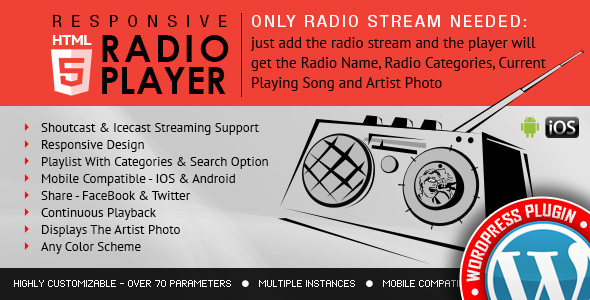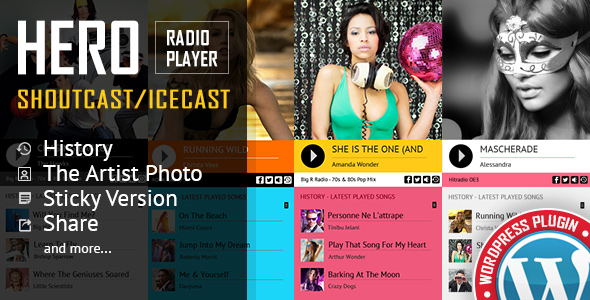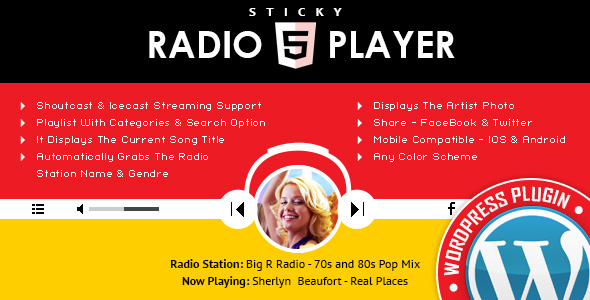
The Sticky Radio Player WordPress Plugin is a versatile and user-friendly tool designed to integrate a full-width HTML5 radio player into WordPress websites. Supporting both Shoutcast and Icecast streaming protocols, this plugin allows site owners to broadcast live radio streams seamlessly. Developed by LambertGroup and available on CodeCanyon, it caters to radio stations, podcasters, and music enthusiasts looking to enhance their online presence with continuous audio playback.
Key Features
This plugin stands out with its robust set of features that ensure a smooth listening experience:
- Sticky Player Design: The player remains fixed at the bottom or top of the screen, allowing users to navigate the site without interrupting the audio playback.
- Shoutcast and Icecast Compatibility: It supports major streaming servers, requiring only the radio stream URL to get started.
- HTML5 Technology: Ensures compatibility across modern browsers and devices, including mobile phones and tablets.
- Full-Width Layout: The player spans the entire width of the browser window, providing a professional and immersive look.
- Current Track Information: Automatically displays the current song title, artist, and other metadata fetched from the stream.
- Customization Options: Users can adjust colors, fonts, and other visual elements to match their website’s theme.
- Play History: Keeps a record of recently played tracks for listeners to review.
- Volume Control and Playback Buttons: Intuitive controls for play, pause, and volume adjustment.
- Responsive Design: Adapts seamlessly to different screen sizes, ensuring a great experience on desktops and mobiles.
- API Functions: Advanced users can utilize API calls to control the player programmatically, such as playing or pausing via custom scripts.
Installation and Setup
Installing the Sticky Radio Player is straightforward. After purchasing and downloading the plugin, upload it to your WordPress site via the Plugins menu. Activate it, and then configure the settings by entering your radio stream URL. Shortcodes or widgets can be used to place the player on specific pages or make it site-wide sticky. No advanced coding knowledge is required, making it accessible for beginners.
Performance and Compatibility
The plugin is optimized for performance, with minimal impact on site loading times. It is compatible with the latest versions of WordPress and major themes. Recent updates have improved security, added new features like enhanced mobile support, and fixed minor bugs, ensuring reliability as of the last update in February 2026.
Pros:
- Easy integration with popular streaming services.
- Sticky feature enhances user engagement by preventing playback interruptions.
- Highly customizable to fit any website design.
- Affordable one-time purchase price around $19.
- Regular updates from the developer.
Conclusion
Overall, the Sticky Radio Player WordPress Plugin is an excellent choice for anyone wanting to add a professional radio player to their site. Its focus on simplicity, compatibility, and user experience makes it a valuable asset for online broadcasters. Whether you’re running a radio station or just sharing music, this plugin delivers reliable performance and enhances visitor retention through uninterrupted listening.