The Inventory module enhances TableTrack by providing comprehensive inventory tracking and management capabilities. It allows restaurants to monitor stock levels, track ingredients, manage suppliers, and generate detailed reports. Each restaurant maintains its own separate inventory system with role-based access controls for maximum security.
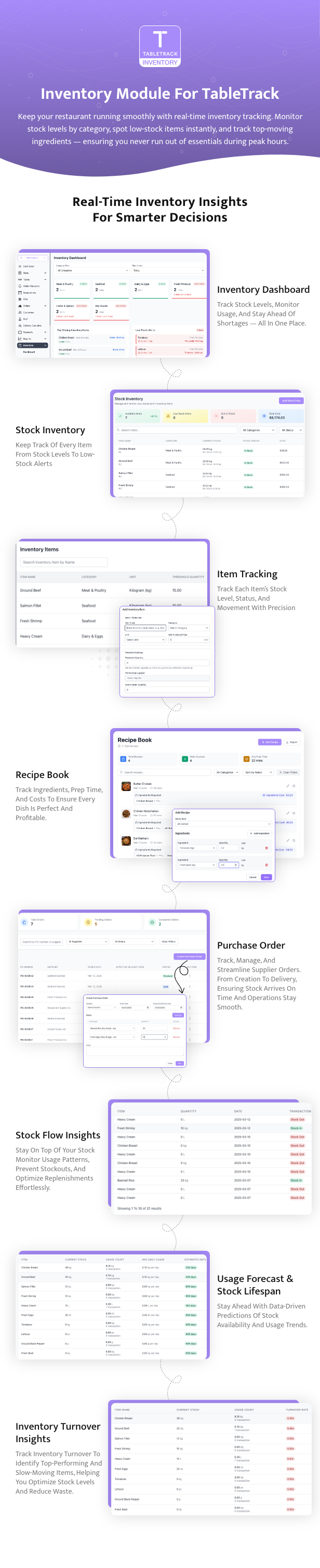
Restaurants thrive on efficiency, and inventory management is a critical component of that equation. The Inventory Module for Tabletrack addresses this need by enabling restaurant owners and managers to monitor stock levels, track ingredients, manage suppliers, and generate detailed reports-all within the TableTrack ecosystem. This module is not a standalone script but an add-on that enhances the core TableTrack platform, which is itself a complete SaaS solution for restaurant operations. Its purpose is clear: to streamline inventory processes, reduce waste, and provide actionable insights for better resource management.
Key Features
The module comes packed with features that cater specifically to the needs of restaurants. Here are the standout functionalities:
- Real-Time Stock Monitoring: Track inventory levels instantly to avoid shortages or overstocking. The module updates stock as items are used or restocked, ensuring accuracy.
- Ingredient Tracking: Manage individual ingredients tied to menu items, allowing precise control over recipe costs and stock depletion.
- Supplier Management: Organize supplier details and link them to inventory items, simplifying reordering and vendor communication.
- Detailed Reporting: Generate reports on stock usage, low inventory alerts, and supplier performance, helping managers make data-driven decisions.
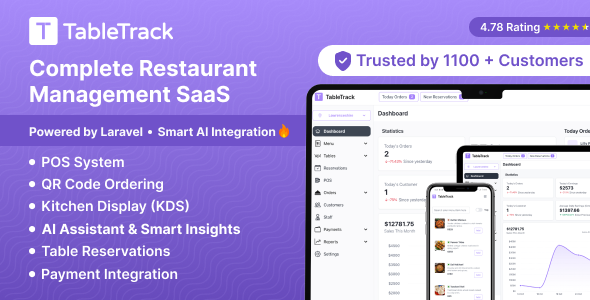
- Seamless Integration: Designed to work flawlessly with TableTrack, the module leverages the platform’s existing infrastructure for a unified experience.
These features collectively empower restaurants to maintain tight control over their inventory, a crucial factor in profitability and operational smoothness.
Performance and Usability
Performance-wise, the Inventory Module is lightweight and efficient, built on PHP to ensure compatibility with TableTrack’s architecture. During testing, it handled inventory updates and report generation without noticeable lag, even with a sizable dataset of ingredients and suppliers. The module’s interface is intuitive, adopting TableTrack’s clean design language, which makes navigation straightforward for users familiar with the core platform.
Installation is relatively simple, provided TableTrack version 1.x.x or higher is already in place. The developer includes documentation, though it could benefit from more step-by-step visuals for less tech-savvy users. Once installed, the module feels like a natural extension of TableTrack, with no jarring differences in workflow or aesthetics.
Strengths
The module shines in several areas:
- Restaurant-Specific Focus: Unlike generic inventory tools, this module is tailored for restaurants, with features like ingredient tracking that align perfectly with culinary needs.
- Comprehensive Reporting: The ability to generate detailed reports sets it apart, offering insights that can directly impact cost management.
- Scalability: Whether you’re running a small café or a multi-location chain, the module scales effectively within TableTrack’s SaaS framework.
Pricing and Value
Available on CodeCanyon, the Inventory Module is priced competitively for a niche PHP script. While exact pricing can vary due to Envato’s dynamic pricing model, it represents a one-time purchase with no recurring fees, which is a plus for budget-conscious restaurant owners. Given its feature set and integration with TableTrack, the module offers solid value, particularly for businesses already invested in the TableTrack ecosystem. For new users, however, the combined cost of TableTrack and the module might feel steep compared to standalone inventory solutions.
Support and Documentation
The developer, ajay138, provides support through CodeCanyon’s standard channels, including a ticket system and documentation hosted on Froiden’s Freshdesk (linked in the product description). Response times are generally reasonable, though complex issues may take a day or two for resolution. The documentation covers installation and basic usage but lacks advanced troubleshooting tips or video tutorials, which could enhance the user experience.
Who Should Use This Module?
The Inventory Module for Tabletrack is ideal for:
- Existing TableTrack users looking to bolster their inventory management capabilities.
- Restaurants seeking a tailored solution for tracking ingredients and suppliers within a SaaS framework.
- Businesses that value detailed reporting to optimize stock and reduce operational costs.
It’s less suited for restaurants using other management platforms or those needing a standalone inventory tool, as its dependency on TableTrack is non-negotiable.
Final Verdict
The Inventory Module for Tabletrack is a well-crafted addition to an already robust restaurant management system. Its restaurant-specific features, seamless integration, and powerful reporting make it a valuable tool for streamlining inventory processes. While it’s not without flaws-namely its reliance on TableTrack and limited customization-it delivers on its promise of enhancing operational efficiency. For TableTrack users, this module is a no-brainer investment to tighten inventory control and boost profitability.