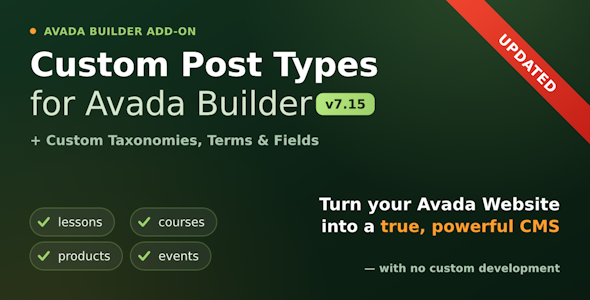
This plugin extends the Avada Builder Blog, Portfolio and Recent Posts elements to work with any Custom Post Types, Custom Taxonomies, Terms and Fields. With this plugin you will be able to put your own custom content in any place on the page the same way you can put Blog, Portfolios, Recent Posts with the original elements. Please, see the Demo of this plugin.
You can also use all the layouts and styles of the standard Blog, Portfolio and Recent Posts elements with your own Custom Post Types or with the Custom Post Types of the third party plugins.
In the world of WordPress website development, the ability to customize content structures is a game-changer. Fortunately, with tools like Avada Builder and specialized plugins like “Custom Post Types and Taxonomies for Fusion Builder,” creating unique content types, defining taxonomies, and adding custom fields becomes a seamless process.
Understanding the Basics: Custom Post Types
WordPress traditionally comes with post types like posts and pages. However, for many website projects, these default types might not suffice. Enter custom post types. These allow you to create content structures tailored to your specific needs. Whether it’s a portfolio, testimonial, product, or any other content type, custom post types empower you to organize and display content efficiently.
Taxonomies: Organizing Content Effectively
Taxonomies are classification systems that help organize content. In WordPress, taxonomies primarily manifest as categories and tags. However, with custom taxonomies, you can create additional classification methods, providing more flexibility in sorting and filtering content. For instance, in an e-commerce website, you might create custom taxonomies like “Brand” or “Product Type” to enhance browsing and searching capabilities.
The Power of Custom Fields
Custom fields extend the basic content structure by allowing you to attach additional data to your posts or pages. This data can be anything from text and images to URLs and dates. For example, if you’re building a real estate website, custom fields can store property details such as price, square footage, and amenities. This not only enhances the presentation of content but also enables advanced filtering and searching functionalities.
Integrating Custom Post Types, Taxonomies, and Fields with Avada Builder
Avada Builder is a versatile WordPress plugin that empowers users to create stunning layouts with ease. By integrating custom post types, taxonomies, and fields, you can unlock even more possibilities within the Avada ecosystem.
The “Custom Post Types and Taxonomies for Fusion Builder” plugin seamlessly integrates with Avada Builder, providing a user-friendly interface for creating and managing custom content structures. Here’s how it works:
Effortless Custom Post Type Creation: With the plugin, you can create custom post types directly within the Avada Builder interface. Define the labels, slug, and other parameters, and your custom post type is ready to use.
Flexible Taxonomy Management: Creating custom taxonomies is just as straightforward. Define the taxonomy name, slug, and associate it with the desired post types. This allows for precise content classification and organization.
Intuitive Field Management: Adding custom fields to your post types is intuitive with the plugin’s interface. Choose from various field types such as text, textarea, image, file upload, and more. Then, assign these fields to your post types for seamless data entry and presentation.
Seamless Integration with Avada Builder: Once you’ve set up your custom post types, taxonomies, and fields, Avada Builder seamlessly integrates them into its workflow. You can now use these custom structures to design dynamic layouts, incorporating your specialized content types effortlessly.
Unlocking Creativity and Functionality
The combination of Avada Builder and the “Custom Post Types and Taxonomies for Fusion Builder” plugin opens up a world of possibilities for WordPress developers and website owners alike. Whether you’re building a portfolio showcase, an e-commerce platform, or a membership site, the ability to tailor your content structures to your specific needs is invaluable.
By leveraging custom post types, taxonomies, and fields, you can create more engaging user experiences, streamline content management workflows, and ultimately, elevate your WordPress website to new heights of creativity and functionality.